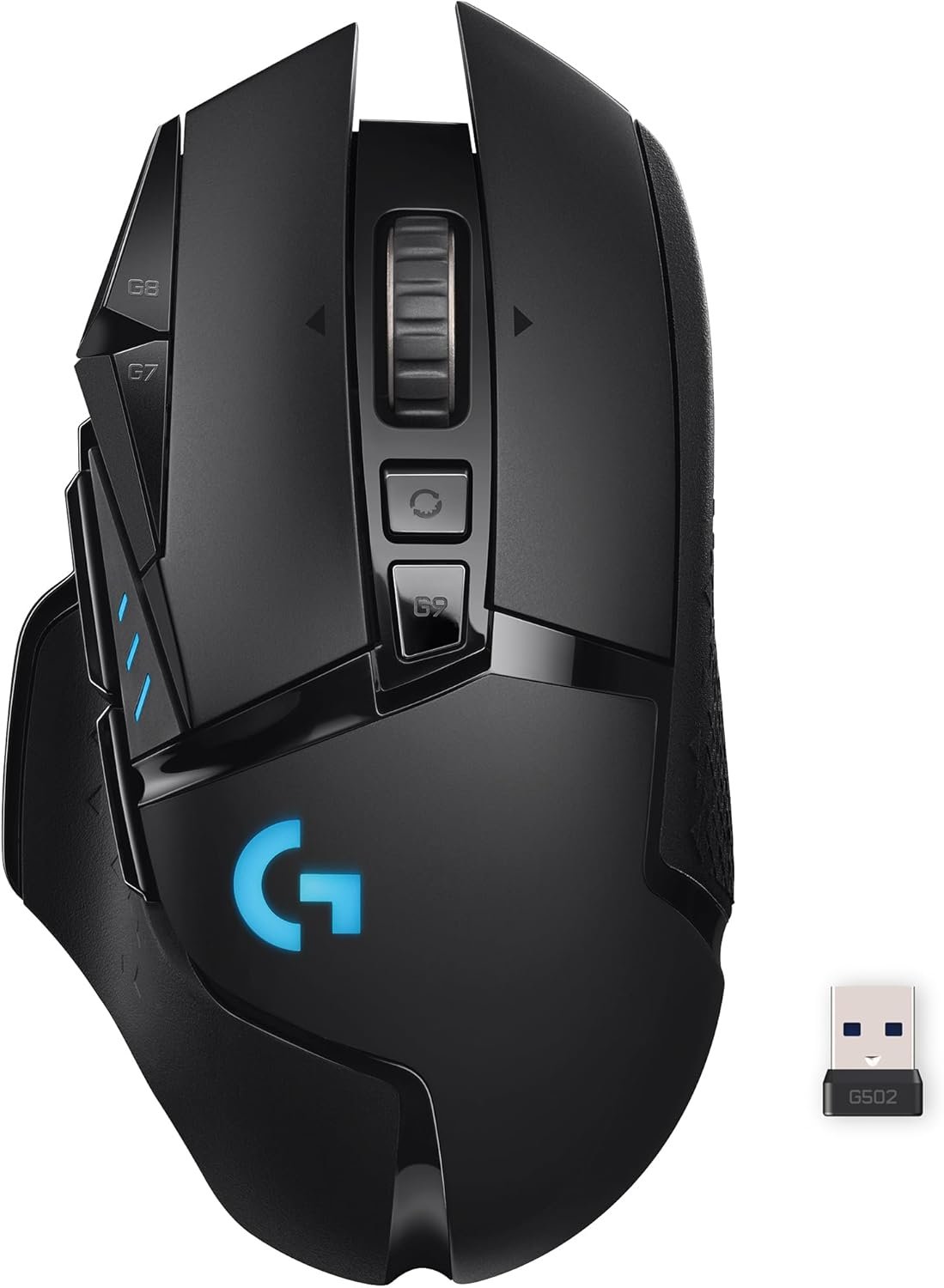


Logitech G502 Lightspeed Wireless Gaming Mouse with Hero 25K Sensor, PowerPlay Compatible, Tunable Weights and Lightsync RGB – Black

Original price was: $119.99.Current price is: $89.99.

Average Battery Life (in hours)

‎60 Hours

Brand

‎Logitech G

Series

‎G502 Lightspeed Wireless Gaming Mouse

Item model number

‎910-005565

Hardware Platform

‎Mac, PC

Operating System

‎Chrome OS, Mac OS X 10.7 Lion, Windows 7

Item Weight

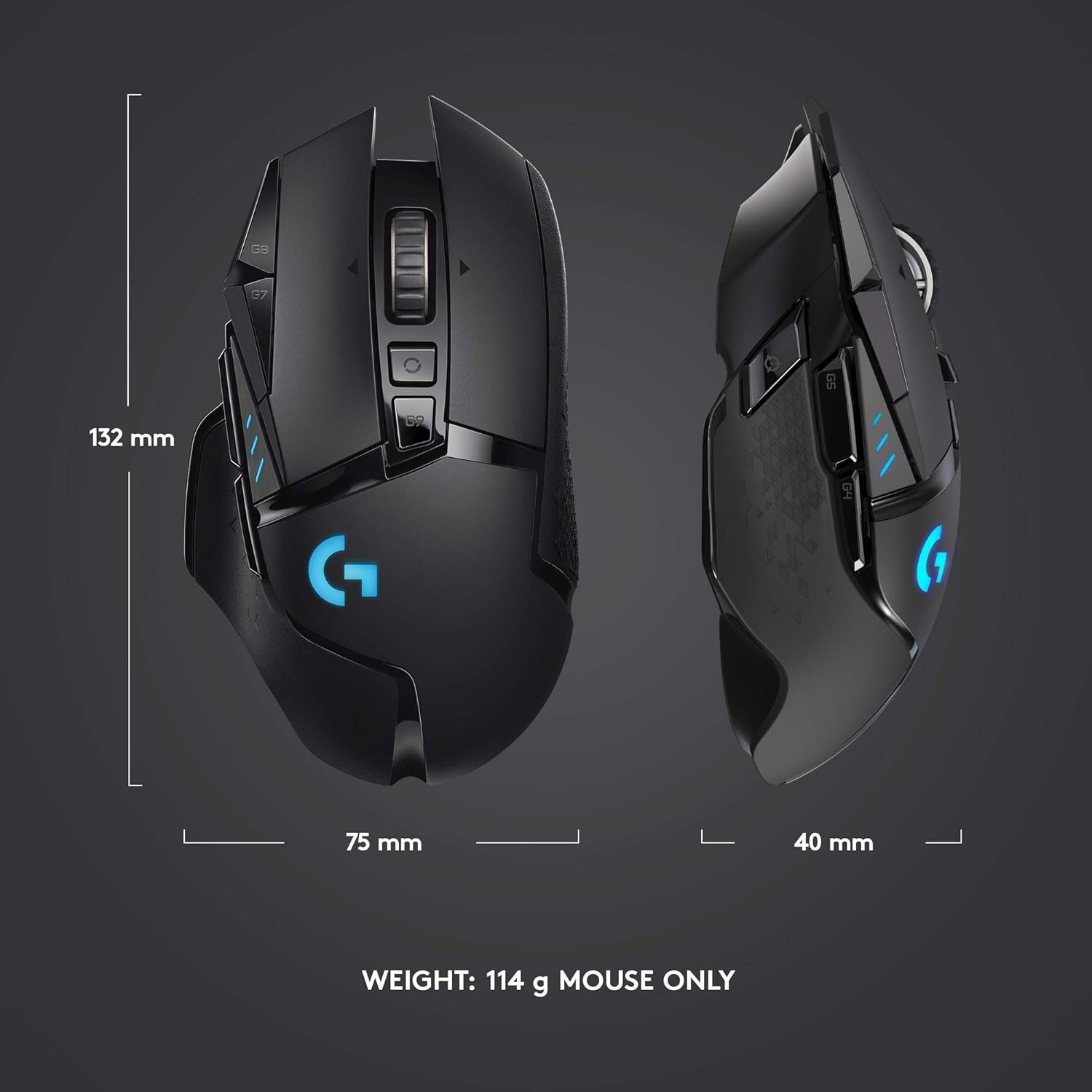
‎13 ounces

Product Dimensions

‎5.19 x 2.95 x 1.57 inches

Item Dimensions LxWxH

‎5.19 x 2.95 x 1.57 inches

Color

‎Black

Power Source

‎Battery Powered

Batteries

‎1 Lithium Polymer batteries required. (included)

Manufacturer

‎Logitech

ASIN

‎B07L4BM851

Date First Available

‎May 8, 2019

Category:
Description

Price: $119.99 - $89.99

(as of Feb 12, 2026 19:31:31 UTC –

Details
)



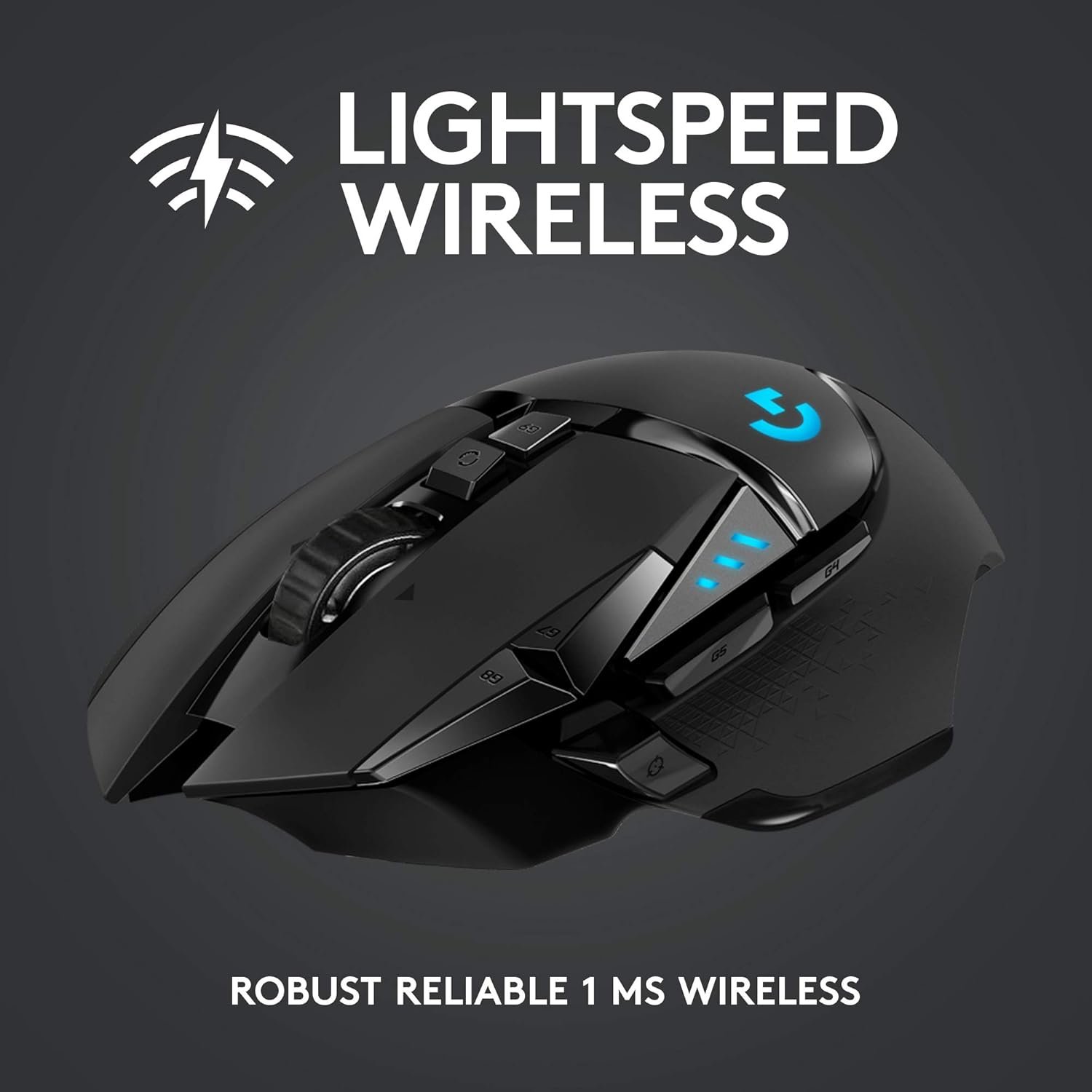
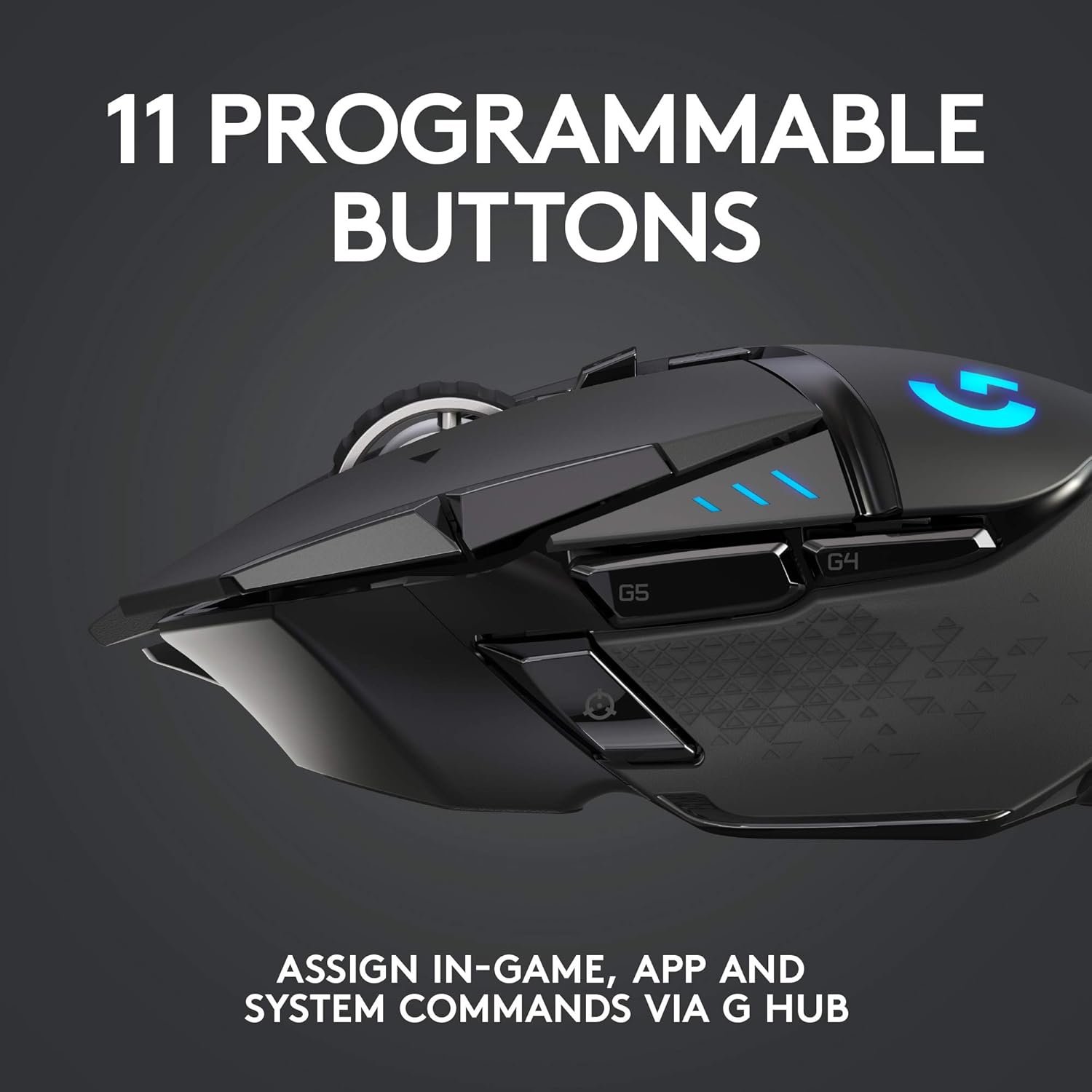
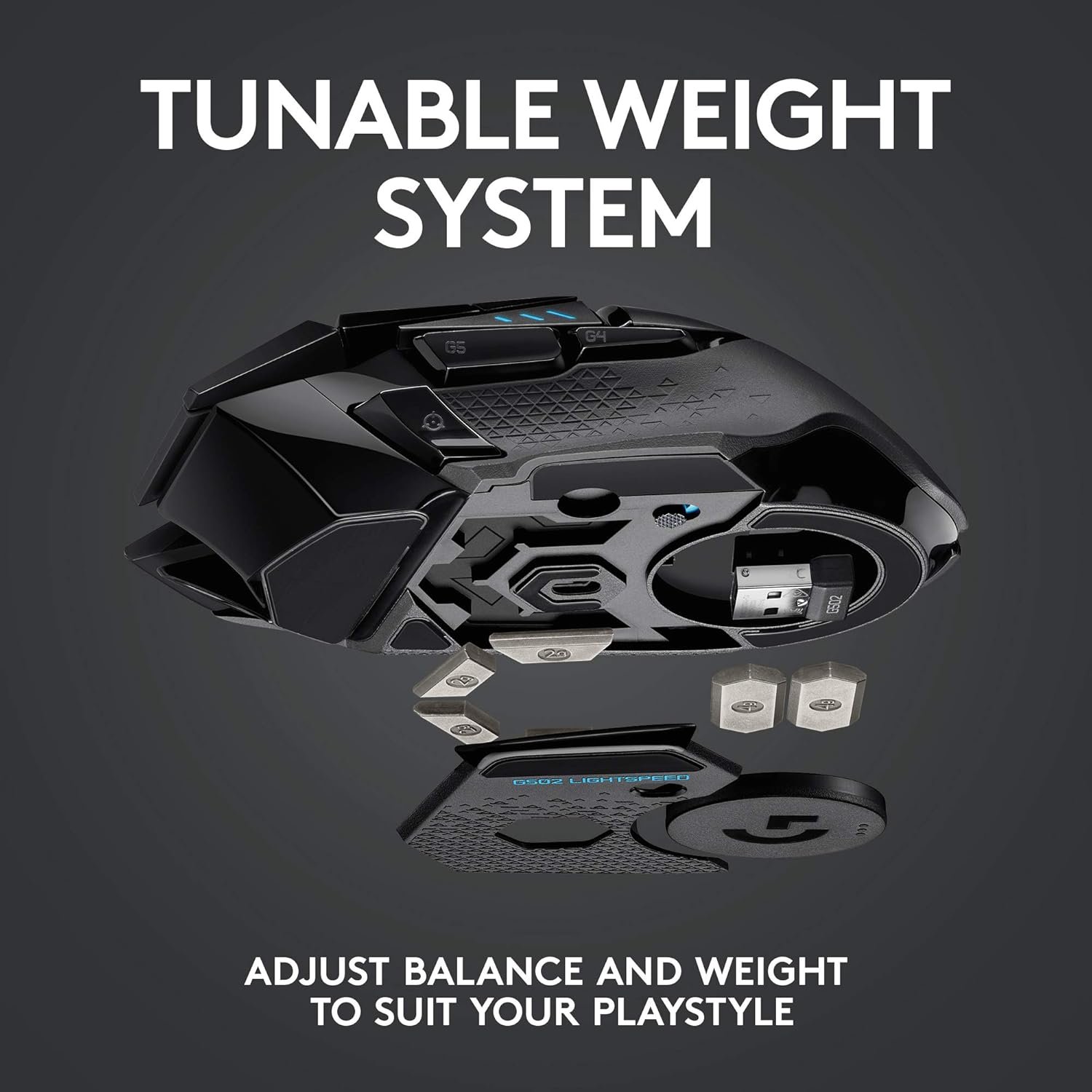
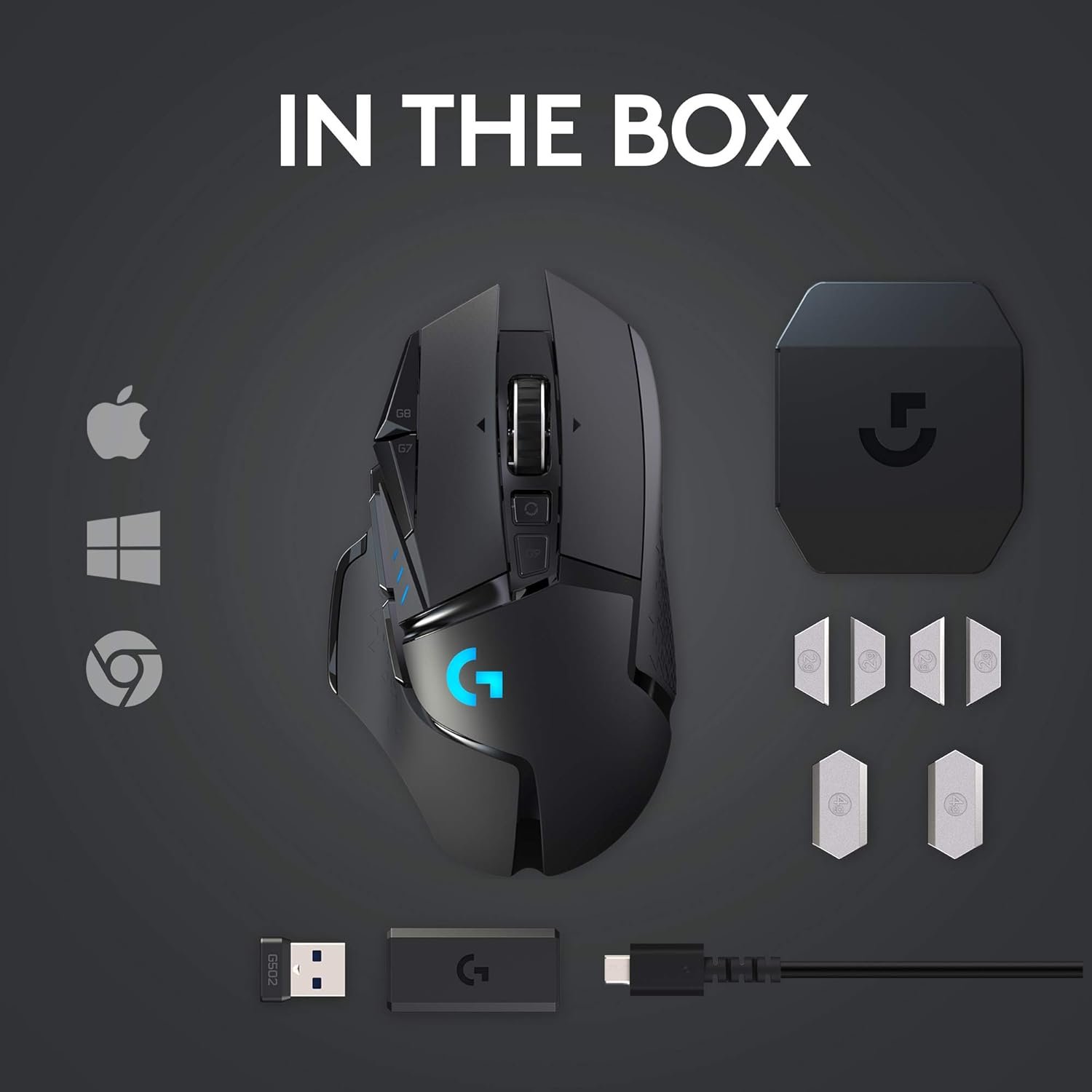
G502 is the best gaming mouse from Logitech G, completely redesigned from the inside out with Light speed wireless and power play compatibility so you can game faster and more accurately, The G502 light speed PC gaming mouse is built with superfast 1 ms wireless connectivity and a next gen Hero sensor delivering up to 25K DPI class leading performance and energy efficient up to 60 hours of uninterrupted gaming. 11 programmable buttons help you optimize game play with custom keyboards and macros. Primary buttons feature metal spring tensioning for Fast and crisp actuation. Six adjustable weights let you find the right mouse feel. Light Sync RGB gives you 16.8 million colors to create an exciting and immersive gaming environment. The hyper fast scroll wheel lets you speed through long menus and documents. Pair the G502 Wireless gaming mouse with the Logitech G Power play charging system (sold separately) for infinite charging. USB report rate: 1000 Hz (1ms). OS Compatibility: Windows 7 or later, Mac OS X 10.11 or later, Chrome OSTM.
PowerPlay wireless charging: Never worry about your battery life again. Add the power play wireless charging system to keep your G502 Lightspeed Wireless Mouse and other compatible G mice charged while at rest and at play. Powerplay wireless charging system sold separately
Light speed wireless gaming mouse: Exclusive Logitech G ultra-fast wireless technology used by Pro gamers in competitions worldwide
Hero 25K sensor through a software update from G HUB, this upgrade is free to all players: Our most advanced, with 1:1 tracking, 400plus ips, and 100 – 25,600 max dpi sensitivity plus zero smoothing, filtering, or acceleration
11 customizable buttons and hyper fast scroll wheel: Assign custom macro and shortcut commands to the buttons for each game with Logitech G hub software. Use hyper fast scrolling to rapidly review menus, long web pages and more
Note: In case of Wireless mouse, the USB receiver will be provided inside or along with the mouse

Reviews (9)

9 reviews for Logitech G502 Lightspeed Wireless Gaming Mouse with Hero 25K Sensor, PowerPlay Compatible, Tunable Weights and Lightsync RGB – Black

    samuel ponda reyes
    February 12, 2026
    It’s all good . Happy with my purchase worth the price
    ahmed-elhrpiny
    February 12, 2026
    جيد جدا
    Dr.ahmed.seleem
    February 12, 2026
    جالي ماوس بسلك مش وايرلس وطلبت اعادة المنتج
    Yash n.
    February 12, 2026
    G502 is one of the best gaming mice I’ve used in a long time. Right out of the box, it feels solid and well-built — not cheap or flimsy. The shape fits my hand comfortably whether I’m clawing or palm-gripping, and the buttons are responsive without being too stiff.
    raji g.
    February 12, 2026
    Buy it, it’s not heavy at all, if u don’t have the power to use this as your main mouse ur weak💀
    Garry C.
    February 12, 2026
    Outstanding mouse once you get past the software If you talk about this mouse, you really need to talk about the Logitech software, There are 3 different downloads at the Logitech website to change your 5 profile settings if you don't like the default settings on the G502. The one they will suggest first is G HUB and it is by far the worst and most convoluted to learn to setup and use. The second which they are phasing out is Logitech Gaming Software. (If you install both G HUB and Logitech Gaming Software, and you try to use Logitech Gaming Software, it will not allow you to use it, and it will tell you to use G HUB instead even though many FAQ's at the Logitech website still refer to Logitech Gaming Software.) However, the third, and the one you should download and use, is called Onboard Memory Manager. It is very simple and easy to figure out, does almost everything you want it to, and it doesn't also install a lot of other crap on your system.NOTE: If you do wind up installing G HUB or Logitech Gaming Software, the setting DPI LIGHTING for "ALWAYS ON" is unchecked by default and is not in Onboard Memory Manager. (By default, when you change profiles, the side DPI lights on the G502 briefly go on and then go off to indicate what profile you are on.) I suspect this setting is unchecked by default for a reason, because I could not get it to work properly when set to "ALWAYS ON". When this option is checked the side DPI lights would not stay on the proper profile indicator to indicate the current profile setting, and they would randomly change (such as when I used the scroll wheel.) What I did was to keep this setting in G HUB or Logitech Gaming Software unchecked. Then in Onboard Memory Manager I would select a fixed color for each profile so I would always know what profile I was currently on. (BTW, this is similar to what is on the wireless G305 mouse but they are only small dots of color, you can't change the default colors, and they only select up to 5 different DPI settings on only one available onboard profile as opposed to the 5 profiles each with 5 DPI settings on the G502.)Unless you have a desire to be frustrated, do yourself a favor and just download Onboard Memory Manager. On the G502, the only reason I can see for using G HUB or Logitech Gaming Software is if you want to change settings for mouse click one or two, which Onboard Memory Manager won't allow, or if you want to setup profiles for individual games and software on your computer, in which case I would lean in favor of Logitech Gaming Software which is much more intuitive and easy to use.All that being said, once you get past setting the G502 up, the mouse performance is outstanding. I didn't add the weights since the mouse felt fine to me. And even though the highest default DPI setting is at 6400, you can set it all the way up to 25,600 if you wish. Also, I have small hands, and even though some of the buttons I will never be able to push without really reaching, it's very comfortable using for long periods of time, and for the current price you can't beat it.
    Charlie M.
    February 12, 2026
    Great product! I LOVE Logitech products because they last a VERY long time. I love how this mouse feels in my hand and it's just so comfortable. It's not to big or to small and it fits perfectly. It has lots of buttons for you to accidentally push, especially if you are gaming lol.I love the fact that on the bottom, you can open it up and put in as many magnetic weights inside to hardly any to none. It just depends on how much weight you want your mouse to have. I Love a good weighty mouse, so this mouse is perfect. You can also make the colours change consistently, or have it one solid colour. The scroll button in the middle is amazing! You can lock it so that it doesn't scroll very fast, and unlock it to ZOOOOM pretty quickly to the bottom of the page and I LOVE that feature.Logitech is the best when it comes to electronics. I had speakers from them that I had bought a good 15 to 20 years ago and they just NOW went out on me. So I suspect this mouse is going to last me a very, VERY long time. :)
    Nathaniel W
    February 12, 2026
    Perfect Gaming Mouse for Every Setup The Logitech G502 Hero is fantastic. It feels solid and comfortable, with precise tracking that makes gaming a breeze. The customizable buttons and adjustable weight system let me tailor it perfectly to my setup. Build quality is top-notch, and the software, once you get used to it, is very powerful. Definitely one of the best mice I’ve ever used—worth every penny.
    Sam
    February 12, 2026
    Great Mouse! Lasted me 5+ years, and still works perfectly fine I have had this mouse for over 5+ years, along with my Logitech G213 Prodigy keyboard. This was a great mouse that lasted me forever. It is a wired mouse that you can change the RGB like most, and it is a great mouse that allows you to have any DPI that you could want.The look is nice with the mouse, and it has a nice feel in the hand, especially if you have larger hands, like I do, especially. I rest my thumb on the bottom left lip of the mouse, and it works terrific for that, and has great reach to the Mouse's 5 and 6 buttons. It does have an infinite scrolling button if you want to as well, like most Logitech mice do now, and it works well!I did end up replacing this mouse, but not because it broke! I just switched up the look of my setup and wanted something new. This thing lasted me 5+ years, and I felt like I would put it to rest for a bit. It still worked great, and I still have it, in case anything happens. Great value for the money! Especially if you want to pair it up with the Logitech G213 Prodigy. These are old, I know! But these are great for anyone who is just getting into gaming, or wanna give Logitech a shot, as you might be a fan of a different brand, but you don't wish to spend over $100+ with each purchase, just to try the brand out.
Add a review
Review now to get coupon!

Your email address will not be published. Required fields are marked *

Shipping and Delivery

MAECENAS IACULIS

Vestibulum curae torquent diam diam commodo parturient penatibus nunc dui adipiscing convallis bulum parturient suspendisse parturient a.Parturient in parturient scelerisque nibh lectus quam a natoque adipiscing a vestibulum hendrerit et pharetra fames nunc natoque dui.

ADIPISCING CONVALLIS BULUM

  • Vestibulum penatibus nunc dui adipiscing convallis bulum parturient suspendisse.
  • Abitur parturient praesent lectus quam a natoque adipiscing a vestibulum hendre.
  • Diam parturient dictumst parturient scelerisque nibh lectus.

Scelerisque adipiscing bibendum sem vestibulum et in a a a purus lectus faucibus lobortis tincidunt purus lectus nisl class eros.Condimentum a et ullamcorper dictumst mus et tristique elementum nam inceptos hac parturient scelerisque vestibulum amet elit ut volutpat.